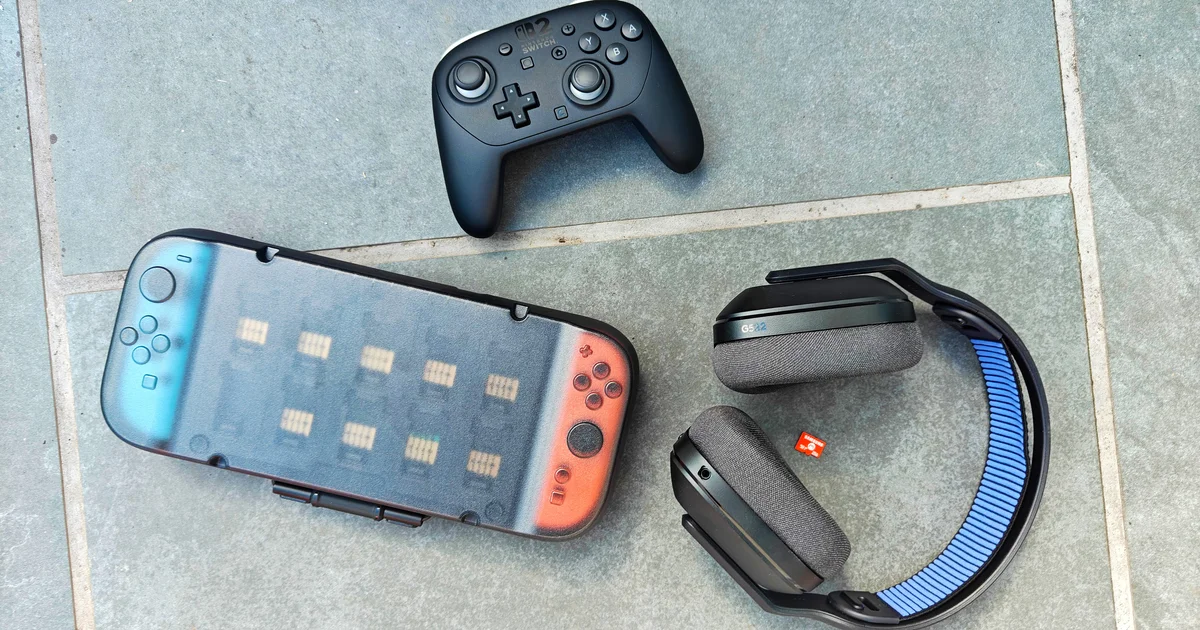
A well-kitted Switch 2 with a protective case, screen protector and grip — the trio most reviewers reach for first.
Best Switch 2 Accessories to Buy First
The essential cases, grips, dock stands and screen protectors that are genuinely worth buying alongside your new Nintendo Switch 2 — tested, ranked and explained for UK shoppers.
 By Stuart Coveney · · Updated July 07, 2026
So you've finally got your hands on a Nintendo Switch 2. Congratulations — it's a lovely bit of kit, noticeably snappier than the original and with that gorgeous larger screen begging to be shown off. But here's the thing nobody warns you about at the till: the console arrives with the bare minimum in the box, and within about a week you'll be itching to protect it, charge it more conveniently, and make those detachable Joy-Con 2 controllers a bit comfier in the hand.
I've spent a good while sifting through the accessories that have appeared since the console's June 2025 launch, and by its first anniversary in June 2026 the market had matured considerably. The trouble is that there's an awful lot of tat out there alongside the genuinely useful stuff. This guide cuts through it. I'm focusing on the categories that matter first — protection, grip, charging and the odd quality-of-life upgrade — rather than a scattergun list of everything money can buy.
Below you'll find my ranked picks, each with a use-case, a quick rundown of what's good and what isn't, a full comparison table so you can weigh them side by side, and some straightforward "who should buy what" cards at the end. Let's crack on.
What to look for in your first Switch 2 accessories
Before we get to the picks, a quick word on priorities. When you're spending on a brand-new console, it's tempting to blow the budget on the flashiest add-on. In my experience the smarter move is to spend on the boring-but-essential stuff first — the things that stop a £400-plus machine getting scratched, dropped or scattered across the bottom of a rucksack.
Protection comes first
A case and a screen protector between them account for the majority of accidental damage prevention. Given how much the console costs, this is the single most sensible early purchase.
Comfort and grip
The Switch 2 is bigger and heavier in handheld mode, so grips and thumbstick upgrades genuinely change how long you can play comfortably.
Charging and portability
Charging cases and travel-friendly options keep you topped up on the go, and a spare dock saves the fuss of unplugging your setup every time you want to game elsewhere.
Storage from day one
Modern Switch 2 games are large. A microSD Express card is one of the least glamorous but most useful early buys, especially if you're going down the digital route.
A quick note on compatibility
The Switch 2 uses microSD Express cards — not the older standard microSD cards from the original Switch. They look almost identical but the Express standard is what unlocks the faster read speeds the console needs. If you try to reuse an old card, you'll be disappointed, so factor a new one into your early spending.
How I chose these picks
I've prioritised accessories that solve a real problem the moment you unbox the console, that come from brands with a track record, and that have been measured or tested rather than just marketed. Where there are benchmarks — read speeds, polling rates, drop-test claims — I've included the actual numbers so you can judge for yourself rather than take a manufacturer's word for it.
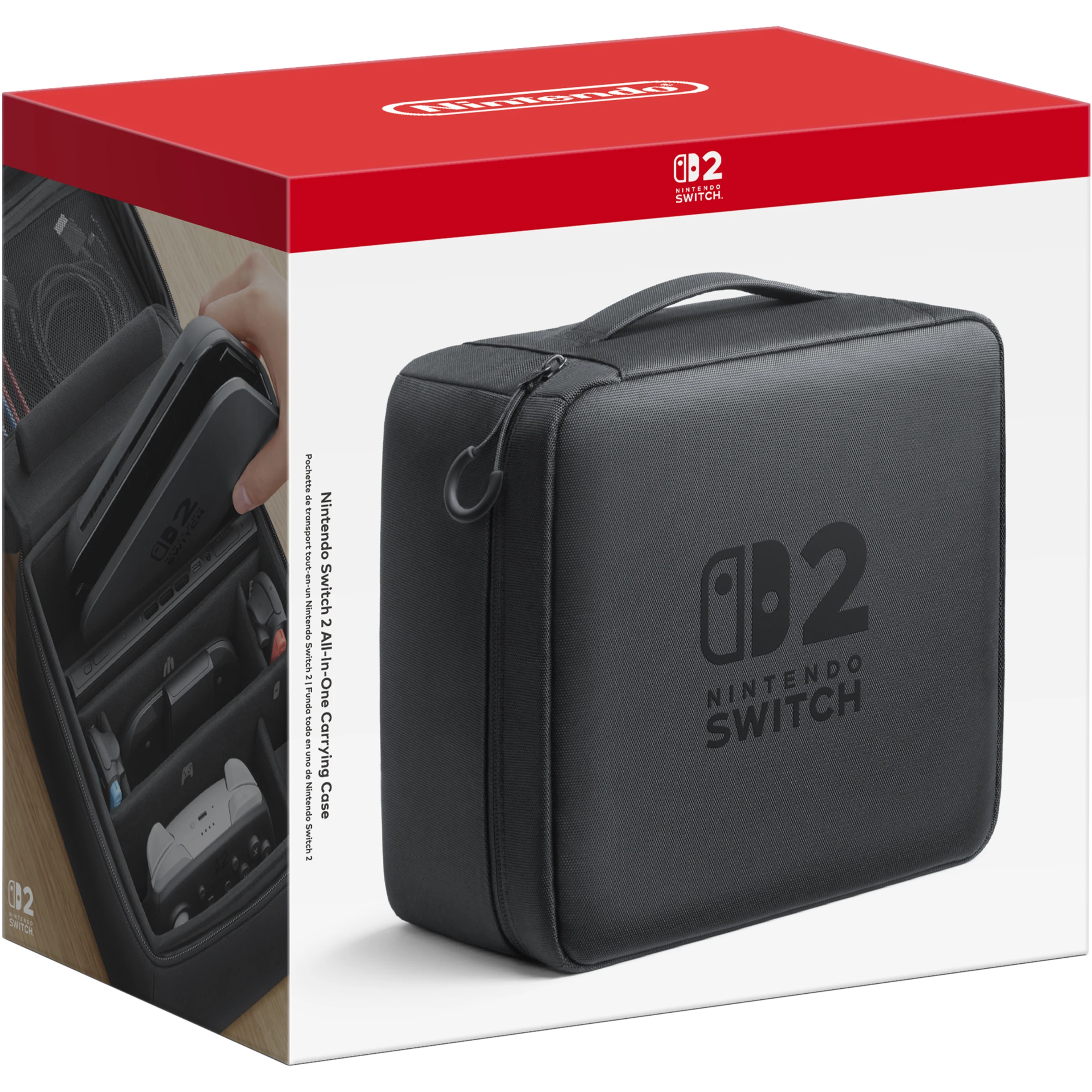
Official Nintendo accessories set the baseline, but third-party makers offer some genuinely compelling alternatives.
The best Switch 2 accessories, ranked
Right — here are my picks, each with a clear use-case so you can jump straight to whatever you need. I've tried to cover the full spread of first-purchase priorities rather than stacking the list with five near-identical cases.
1. dbrand Killswitch — Best for all-round protection
If I could only recommend one protective case, it would be the dbrand Killswitch. What sets it apart from the crowd of generic cases is that it's built from impact-resistant, structurally rigid thermoplastics that are specifically engineered to absorb shock and diffuse force — dbrand cheekily says it's been tested against hardwood, concrete, and "rage-quitting," and the shell is rated to protect against drops onto hardwood and concrete.
The clever bit for Switch 2 owners is that the Joy-Con 2 controllers can detach without removing the case. That's a genuine design win, because on a lot of third-party cases you have to peel the whole thing off just to slot the Joy-Cons on and off. The Killswitch also comes with perfectly-fitted Joy-Lock grips and an AluminaCore glass screen protector in the bundle, which effectively rolls three of the essential early purchases into one box.
Pros
- Genuinely rugged thermoplastic shell rated for hardwood and concrete drops
- Joy-Cons detach without removing the case
- Bundle includes Joy-Lock grips and AluminaCore glass protector
- Works with the optional dbrand Dock Adapter for TV mode
Cons
- You'll need the separate Dock Adapter to dock without removing it
- Adds some bulk and weight compared with a slim skin
- Premium positioning means it's rarely the cheapest option
Check the latest price and any current bundles on Amazon.
View on Amazon2. Spigen Rugged Armor Nintendo Switch 2 Case — Best value protective case
Shop Spigen Rugged Armor Nintendo Switch 2 Case on Amazon UK
Spigen has been making reliable, understated protective gear for years, and the Rugged Armor for Switch 2 continues that tradition. It's the sensible middle ground: proper drop protection without the premium price tag, and crucially it comes bundled with Spigen's AluminaCore glass screen protector, so you get case and screen coverage in a single purchase.
The Rugged Armor styling is the matte, carbon-fibre-effect look Spigen is known for — grippy in the hand and resistant to fingerprints. If you want dependable protection and would rather not spend big, this is the one I'd point most people towards. It doesn't have the party-trick features of the Killswitch, but it does the fundamentals really well.
Pros
- Includes an AluminaCore glass screen protector in the box
- Grippy matte finish that resists fingerprints
- Trusted brand with a strong reputation for fit
- Excellent value as a case-plus-protector bundle
Cons
- No integrated charging or Joy-Con detach cleverness
- More conservative styling than some rivals
- Not designed to stay on while docked
Check the latest price and any current bundles on Amazon.
View on Amazon3. Belkin Charging Case Pro — Best for keeping charged on the move
Shop Belkin Charging Case Pro on Amazon UK
This is one of the more ingenious accessories to arrive for the Switch 2. The Belkin Charging Case Pro is a clamshell case with a hard shell exterior and a soft, fabric-padded screen cover — so far, so normal. The twist is a built-in power bank tucked inside a display stand, which can charge the handheld both inside and out. In other words, you can leave the console in the case, prop it up on the built-in stand, and keep gaming while it tops itself up.
It even includes passthrough charging, so you can keep the internal power bank topped up without unzipping the case. For commuters, holidaymakers and anyone who plays away from a plug socket for long stretches, this is a really thoughtful piece of design that does two jobs — protection and power — in one.
Hard shell, soft interior
A rigid exterior guards against knocks whilst the fabric-padded screen cover protects the display from scratches inside your bag.
Built-in power bank and stand
The integrated power bank sits within a display stand and can charge the console inside and out — handy for tabletop sessions on the train.
Passthrough charging
Top up the internal battery without opening the case, so it's always ready for your next trip.
Check the latest price and any current bundles on Amazon.
View on Amazon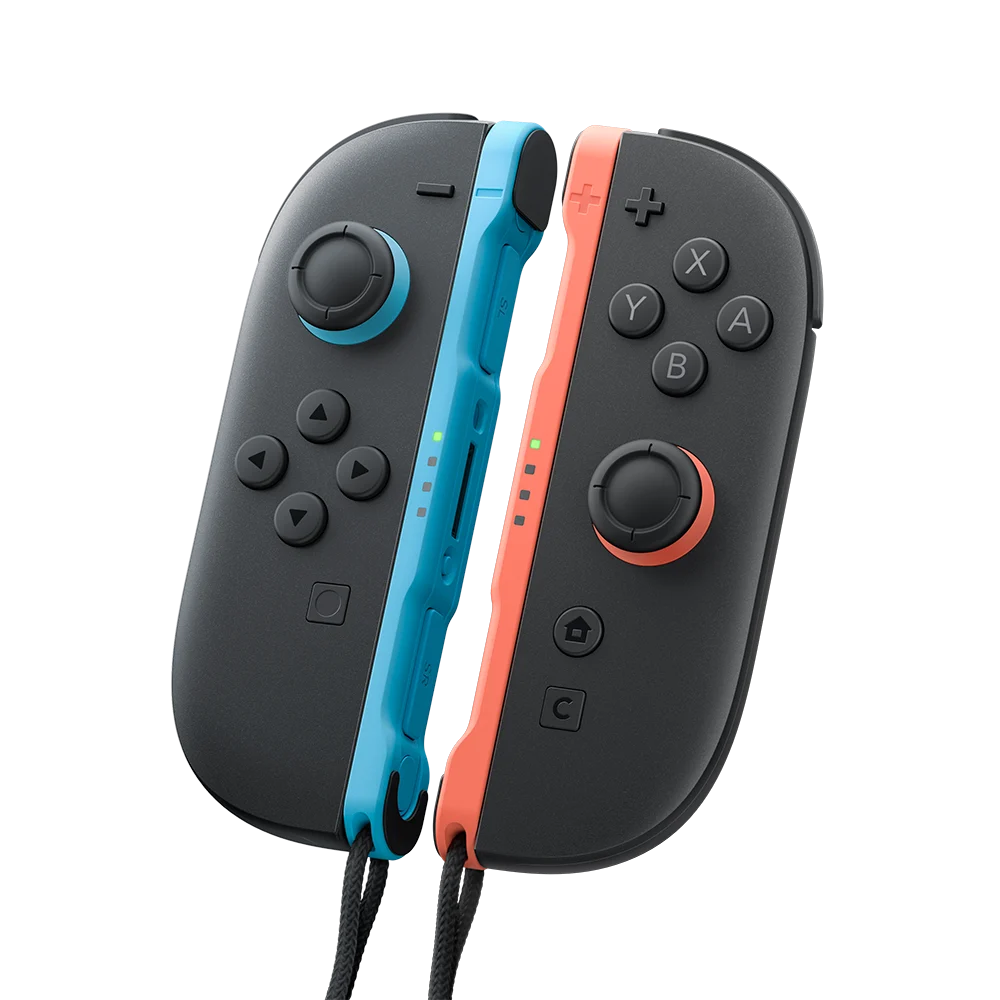
A charging case with an integrated power bank means you can top up the console without ever unpacking it.
4. JSAUX All-In-One Carrying Case — Best budget travel bundle
If you want to protect the console for travel without spending a fortune, the JSAUX All-In-One Carrying Case is the one I'd flag. At $39.99 / £19.99 it's remarkably good value, and the reason it earns its "all-in-one" name is that it ships with a screen protector and a USB-C charging cable included. That's three purchases collapsed into one box, which is exactly the sort of thinking a first-time buyer wants.
It's a carrying case first and foremost, designed to keep everything safe in transit rather than to be used whilst playing. But as a grab-and-go solution for taking the Switch 2 round to a friend's house or on holiday, it's hard to argue with the value.
Pros
- Screen protector and USB-C cable included in the box
- Excellent value at £19.99 in the UK
- Great starter bundle for first-time owners
Cons
- Designed for storage and transport, not playing in-case
- No charging capability of its own
- Less rugged than a dedicated hard shell like the Killswitch
Check the latest price and any current bundles on Amazon.
View on Amazon5. JSAUX Ergonomic Switch 2 Charging Grip — Best for handheld comfort
Shop JSAUX Ergonomic Switch 2 Charging Grip on Amazon UK
The Switch 2 is a larger, heavier machine than its predecessor, and if you play in handheld mode for long stretches you'll feel it in your hands. The JSAUX Ergonomic Switch 2 Charging Grip addresses exactly that, wrapping the console in a more hand-friendly shape whilst also allowing charging — so you're not choosing between comfort and battery life. At $21.99 / £15.99 it's an inexpensive upgrade that punches above its price.
For anyone who mostly plays undocked — commuters, kids, and anyone whose telly is permanently occupied — this is the sort of quality-of-life buy that you don't realise you needed until you've tried it. The improved grip makes longer sessions far less fatiguing.
A charging grip is a different beast from a charging case. The grip is for comfort whilst you play, whereas a case like the Belkin is about protection and topping up between sessions. Many owners end up with both for different situations.
Check the latest price and any current bundles on Amazon.
View on Amazon6. dbrand Joy-Lock Grips — Best for Joy-Con ergonomics
Whilst the JSAUX grip wraps the whole console, dbrand's Joy-Lock grips take a different approach — they're textured molds that fit around each individual Joy-Con, helping to balance weight distribution and giving your fingers something more substantial to hold. If you tend to detach the Joy-Cons and play with one in each hand, or use them in the grip accessory, these make a real difference to comfort and stability.
They're the same grips bundled with the Killswitch case, so if you've already gone for that you're sorted. Bought separately, they're a neat, low-cost way to improve the ergonomics of Nintendo's controllers without committing to a full replacement pad.
Check the latest price and any current bundles on Amazon.
View on Amazon7. Nintendo Switch 2 microSD Express Card 256GB — Best for storage
See Nintendo Switch 2 microSD Express Card 256GB on Amazon UK
This one isn't glamorous, but it's arguably the most quietly essential purchase on the list. Modern Switch 2 games are hefty, and the Nintendo-branded SanDisk microSD Express Card in 256GB gives you room for roughly 10 to 12 modern Switch 2 games at $54.99 / £49.99. Because it's Nintendo-licensed, there's zero compatibility risk on Switch 2 firmware updates — a reassuring thing when you're relying on a card to hold your entire digital library.
On performance, the SanDisk card is genuinely quick, hitting read speeds around 880 MB/s in benchmarking. That's noticeably ahead of the Samsung microSD Express, which peaks around 800 MB/s and trails SanDisk by roughly 80 MB/s. There are faster and larger options out there — more on those below — but as the safe, official-branded pick, this is the one I'd default to.
Want more space or faster speeds?
The Lexar Play Pro is one of the fastest microSD Express cards in benchmarks and is available in sizes up to 1TB, priced broadly in line with most other options. If you're buying digitally and want to future-proof, it's well worth a look. There's also the Onn microSD Express 512GB, a cheaper high-capacity alternative that has appeared at around $85 when in stock.
Check the latest price and any current bundles on Amazon.
View on Amazon8. Nintendo Switch 2 Dock Set — Best for a second room
Shop Nintendo Switch 2 Dock Set on Amazon UK
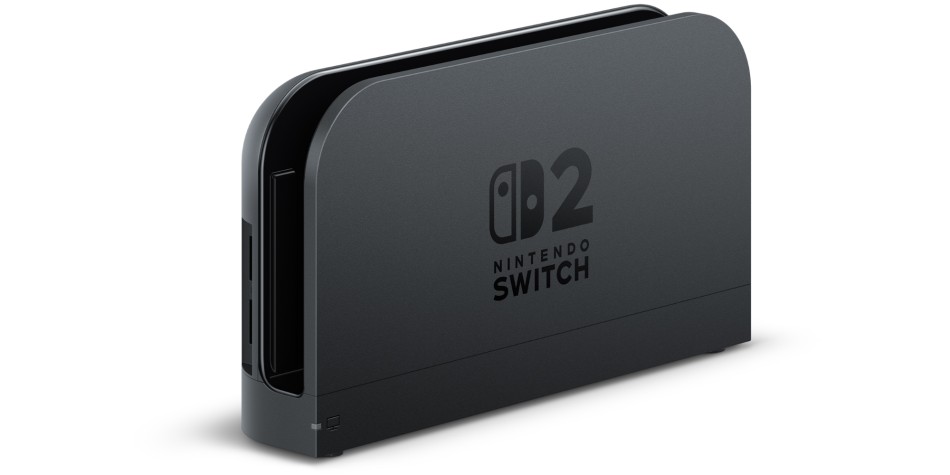
If you split your gaming between two rooms — say the living room telly and a bedroom monitor — a spare official dock saves you constantly unplugging and reconnecting everything. The Nintendo Switch 2 Dock Set is the complete package: it includes the dock itself, the AC adapter, a USB-C charging cable, and an Ultra High-Speed HDMI cable, all for $109.99.
It's not cheap, and it's not something everyone needs. But for households where the console migrates around the home, having a permanent dock in each spot removes a genuine daily friction. Because it's the official set, you also sidestep the compatibility headaches that have occasionally plagued third-party docks on Nintendo hardware.
Pros
- Complete set including AC adapter, USB-C cable and Ultra High-Speed HDMI cable
- Official Nintendo hardware, so no compatibility worries
- Ideal for multi-room households
Cons
- The priciest item on this list at $109.99
- Overkill if you only ever dock in one place
Check the latest price and any current bundles on Amazon.
View on Amazon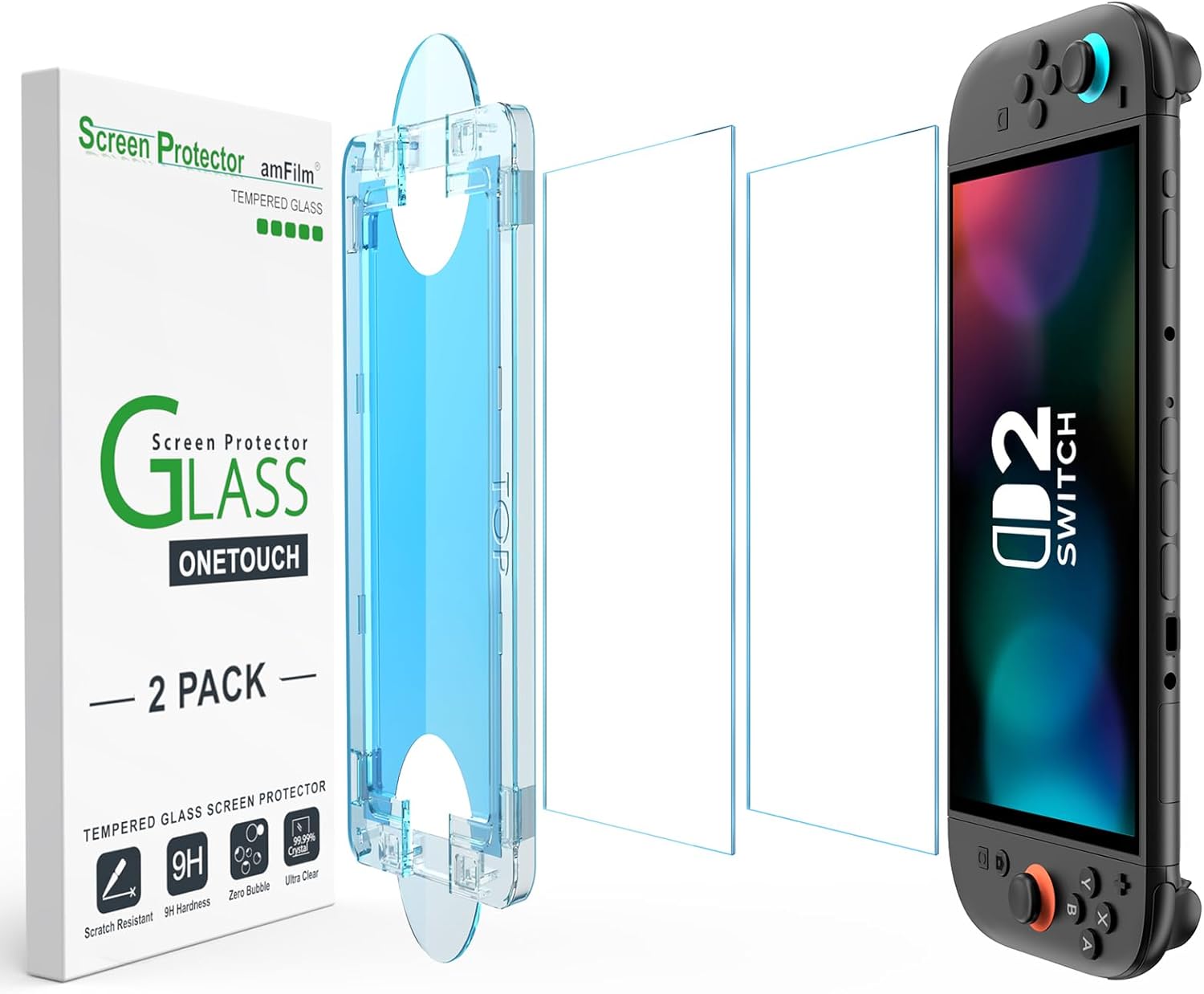
A second official dock ends the daily ritual of unplugging cables when you move the console between rooms.
9. Nintendo Switch 2 Pro Controller — Best for TV-mode gaming
Shop Nintendo Switch 2 Pro Controller on Amazon UK
Once you start playing on the big screen, those detached Joy-Cons feel a little cramped for longer sessions, and a proper controller transforms the experience. The Nintendo Switch 2 Pro Controller feels lighter and snappier than its predecessor, with an attractive two-tone design, a dedicated GameChat button, a headphone jack and programmable rear buttons. At $79.99 / £74.99 it's a premium buy, but the standout figure is battery life: roughly 40 hours per charge, which is exceptional.
That endurance is worth dwelling on, because it's where the Pro Controller pulls ahead of the third-party competition. The excellent 8BitDo Ultimate 2, for instance, manages roughly 15 to 19 hours per charge — respectable, but well under half the Pro Controller's stamina.
Check the latest price and any current bundles on Amazon.
View on Amazon10. 8BitDo Ultimate 2 — Best for competitive players
Shop 8BitDo Ultimate 2 on Amazon UK
If reaction time is your priority rather than marathon battery life, the 8BitDo Ultimate 2 makes a compelling case. It runs a 1000Hz polling rate — roughly four times the Switch 2 standard — which means it reports your inputs far more frequently, a genuine advantage in fast-paced or competitive games. It also adds two remappable back bumpers, the L4 and L5, giving you extra controls without moving your thumbs off the sticks.
The trade-off, as mentioned, is battery life of around 15 to 19 hours versus the Pro Controller's 40. For a lot of competitive players that's a price worth paying for the responsiveness, and the remappable bumpers are a real boon in shooters and platformers.
Check the latest price and any current bundles on Amazon.
View on Amazon11. GameSir Super Nova — Best for anti-drift reliability
Stick drift is the bane of any controller's life, and the GameSir Super Nova tackles it head-on with Hall Effect sticks and triggers, which use magnetic sensors rather than physical contacts that wear over time. Like the 8BitDo, it offers a 1,000Hz polling rate for responsive input, and it packs a 1,000mAh battery. For anyone who's been burned by drift on previous controllers, the anti-drift design alone makes it worth a look.
Check the latest price and any current bundles on Amazon.
View on Amazon12. JSAUX Thumb Grip & Stick Protection Set — Best cheap precision upgrade
Finally, the smallest and cheapest recommendation on the list — and one of the most satisfying. The JSAUX Thumb Grip & Stick Protection Set is an inexpensive upgrade that improves precision in shooters and platformers by giving the thumbsticks more texture and a slightly taller profile. It also protects the sticks themselves from wear. If you want to spend just a few pounds and feel an immediate difference in your aim, this is where I'd start.
Check the latest price and any current bundles on Amazon.
View on AmazonSide-by-side comparison
Here's how the key picks stack up against one another. I've focused on the headline facts that actually influence a buying decision rather than every last spec.
| Accessory | Category | Standout feature | Key spec |
|---|---|---|---|
| dbrand Killswitch | Case | Joy-Cons detach without removing case | Rated for hardwood & concrete drops |
| Spigen Rugged Armor | Case + protector | AluminaCore glass protector included | Matte grippy finish |
| Belkin Charging Case Pro | Charging case | Built-in power bank & display stand | Passthrough charging |
| JSAUX All-In-One Case | Carry case | Screen protector + USB-C cable included | $39.99 / £19.99 |
| JSAUX Charging Grip | Grip | Ergonomic shape + charging | $21.99 / £15.99 |
| Nintendo microSD Express 256GB | Storage | Official, zero compatibility risk | 880 MB/s read, holds ~10–12 games |
| Nintendo Dock Set | Dock | Complete official set w/ HDMI cable | $109.99 |
| Switch 2 Pro Controller | Controller | GameChat button, programmable rear buttons | ~40 hr battery |
| 8BitDo Ultimate 2 | Controller | 1000Hz polling, L4/L5 back bumpers | ~15–19 hr battery |
| GameSir Super Nova | Controller | Hall Effect anti-drift sticks | 1000Hz polling, 1,000mAh |
Controllers compared: the numbers that matter
Choosing a controller comes down to a genuine trade-off between endurance and responsiveness, and the numbers make it clear. Here's how battery life and polling rate compare across the three pads.
The story flips completely when you look at polling rate. Both the 8BitDo Ultimate 2 and the GameSir Super Nova run at 1,000Hz — roughly four times the Switch 2 standard — reporting inputs far more often for that competitive edge.
Polling rate matters most in fast, competitive genres — fighting games, shooters, rhythm titles — where the milliseconds add up. For relaxed single-player adventures, the Pro Controller's superior battery life and official polish are the more valuable qualities.
Beyond the essentials: the Switch 2 Camera
Once you've got protection, storage and a controller sorted, there's one more official accessory worth a mention for the socially-minded: the Nintendo Switch 2 Camera. It has a wide-angle lens that can be freely adjusted to capture big rooms or groups, plus a high-sensitivity image sensor that automatically adjusts brightness to detect faces. Reassuringly, there's a built-in privacy shutter to cover the lens when it's not in use.
At $59.99 / £49.99 it's a niche buy that comes into its own with GameChat and the console's more social features. It's not a first-week essential for most people, but if your household loves playing together and chatting online, it's a fun addition once the fundamentals are in place.
The official Switch 2 Camera adds face detection and a privacy shutter for social play — a nice-to-have once the basics are covered.
Which accessories should you buy first?
If you're overwhelmed by choice, here's the order I'd genuinely recommend spending in. Start with a case and screen protector — either the Killswitch for maximum protection or the Spigen Rugged Armor as the value bundle that includes the glass protector. Next, grab a microSD Express card so you never run out of space. After that, everything else is about tailoring the console to how you actually play.
The careful owner
Buy the dbrand Killswitch first. It rolls a rugged case, Joy-Lock grips and a glass protector into one, and the Joy-Cons still detach without removing it.
The budget-conscious buyer
The JSAUX All-In-One Carrying Case at £19.99 includes a screen protector and USB-C cable — the cheapest way to cover the essentials in one box.
The commuter
The Belkin Charging Case Pro keeps you powered on the move with its built-in power bank and display stand, plus the JSAUX Charging Grip for comfort.
The living-room gamer
Prioritise the Switch 2 Pro Controller for its 40-hour battery and, if you play in two rooms, add the official Dock Set to save endless cable-swapping.
The competitive player
The 8BitDo Ultimate 2 or GameSir Super Nova bring 1,000Hz polling and, in the Super Nova's case, anti-drift Hall Effect sticks. Add the JSAUX thumb grips for precision.
The digital collector
Go straight for storage. The official 256GB microSD Express card is the safe pick; the Lexar Play Pro scales up to 1TB if you're building a huge library.
Frequently asked questions
The verdict
If you take just one thing from this guide, let it be this: spend on protection and storage before anything flashy. A quality case and screen protector — the dbrand Killswitch for rugged all-round cover or the Spigen Rugged Armor for the best value bundle — will save you far more heartache than any gadget. Pair that with the official 256GB microSD Express card and you've covered the two things every Switch 2 owner needs from day one.
After that, tailor to your habits. Commuters should look at the clever Belkin Charging Case Pro and the JSAUX Ergonomic Charging Grip; living-room players will love the Pro Controller's 40-hour battery; and competitive gamers get a real edge from the 1,000Hz polling of the 8BitDo Ultimate 2 or the anti-drift GameSir Super Nova. Get the essentials right first, and everything else becomes a pleasure rather than a panic-buy.
Prices and availability were accurate at the time of writing and may vary. Always check current listings before buying.